
Guide
Buy Djibouti Telecom internet data
Add an additional data package to your Djibouti Telecom internet line.
Before you start
Have your Djibouti Telecom internet line number at hand, and make sure your D-Money balance covers the package price.
Steps
1Step 1
Open “Bills”
On the app home screen, tap “Bills”.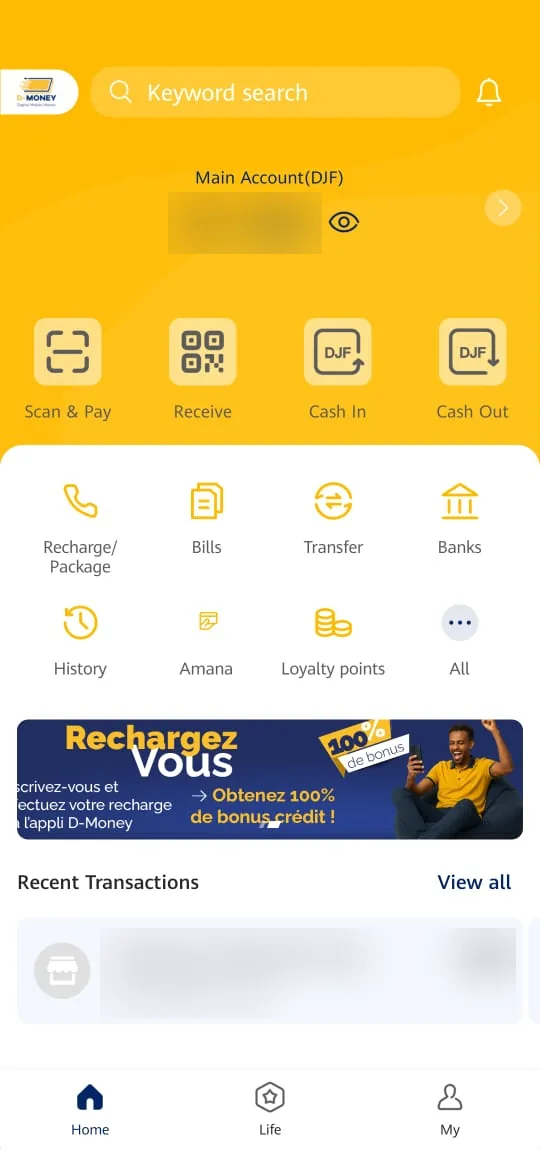
2Step 2
Tap “Djibouti Telecom”
In the list of billers, tap “Djibouti Telecom”.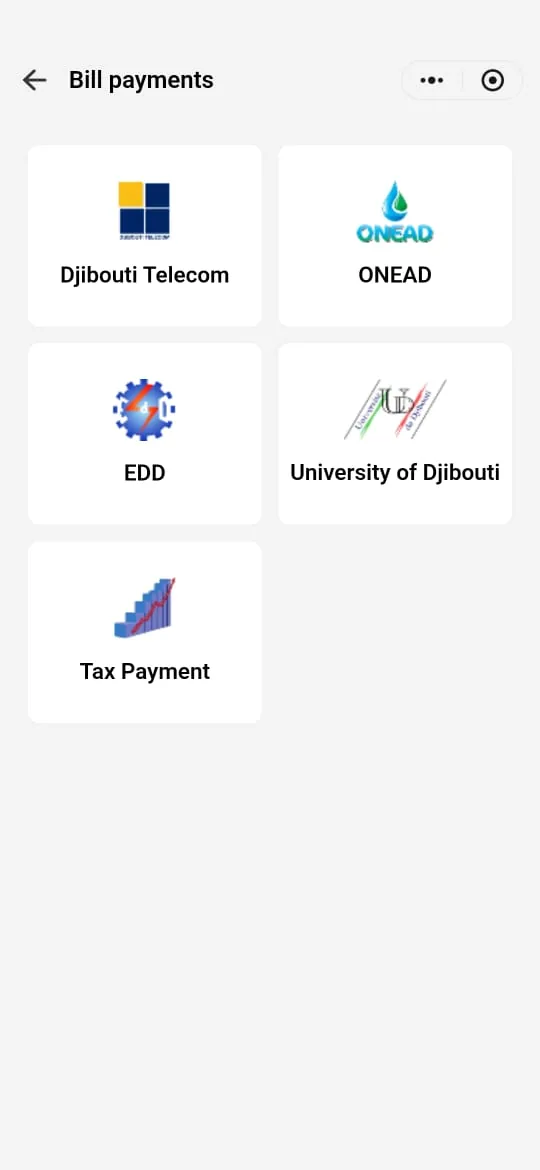
3Step 3
Choose your customer type
For a personal line, tap “Private customer”.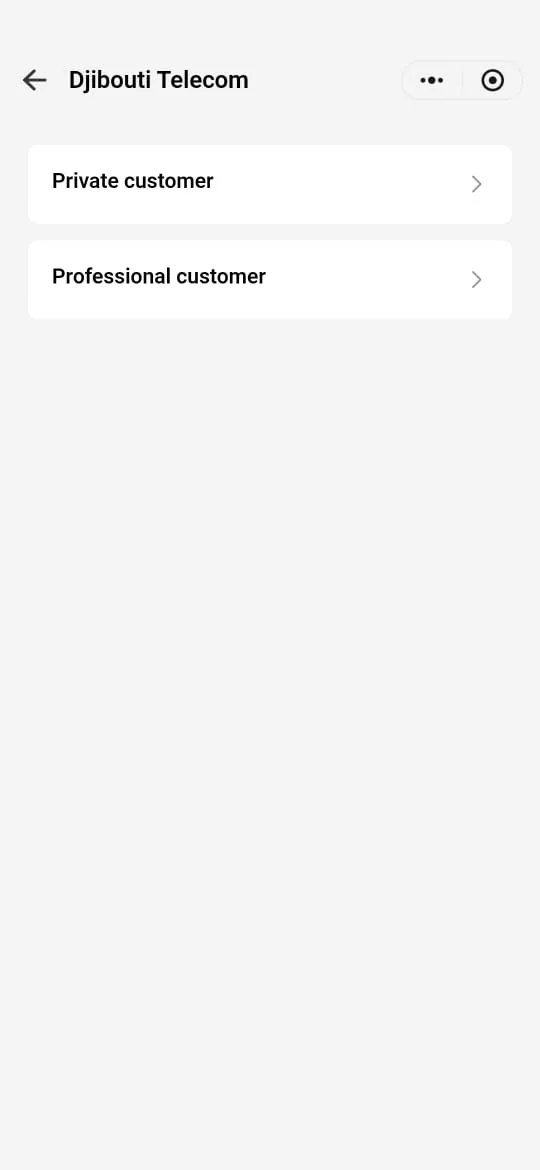
4Step 4
Choose “Package purchase”
Tap “Select search criteria”, choose “Package purchase”, then tap “confirm”.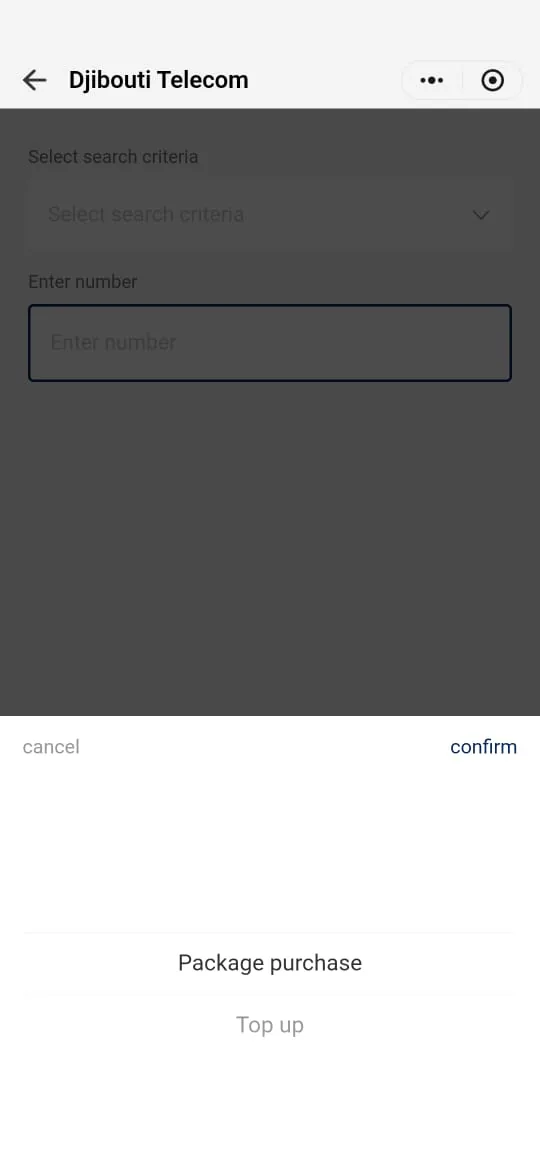
5Step 5
Enter the package type and your number
In “Select the type of package”, choose “Purchase additional data package”. Enter your internet line number in “Enter number”, then tap “Next”.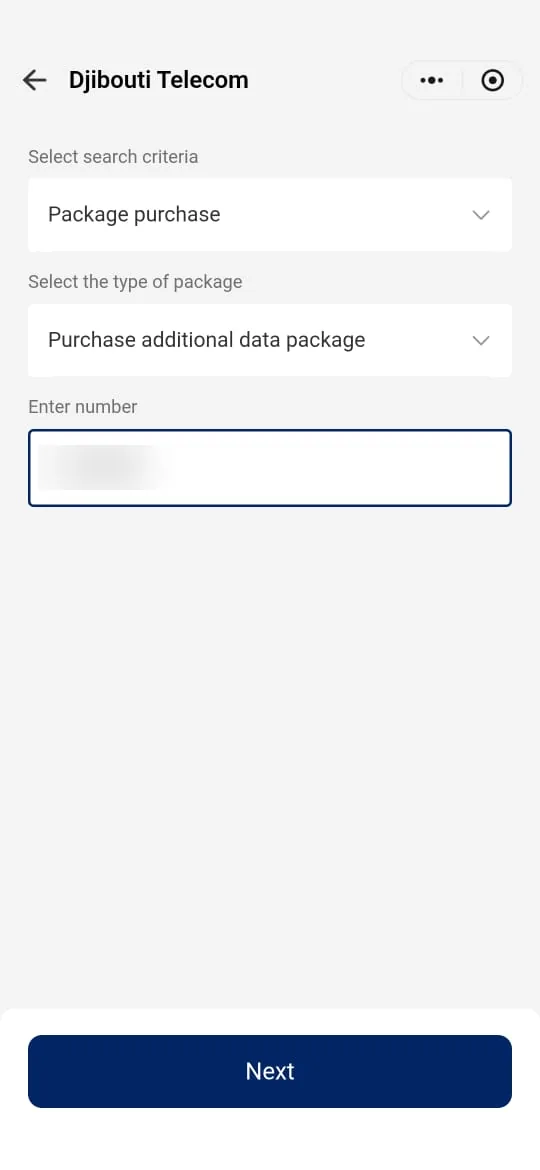
6Step 6
Choose your data package
Select the package you want; its price is shown on the right. Then tap “Next”.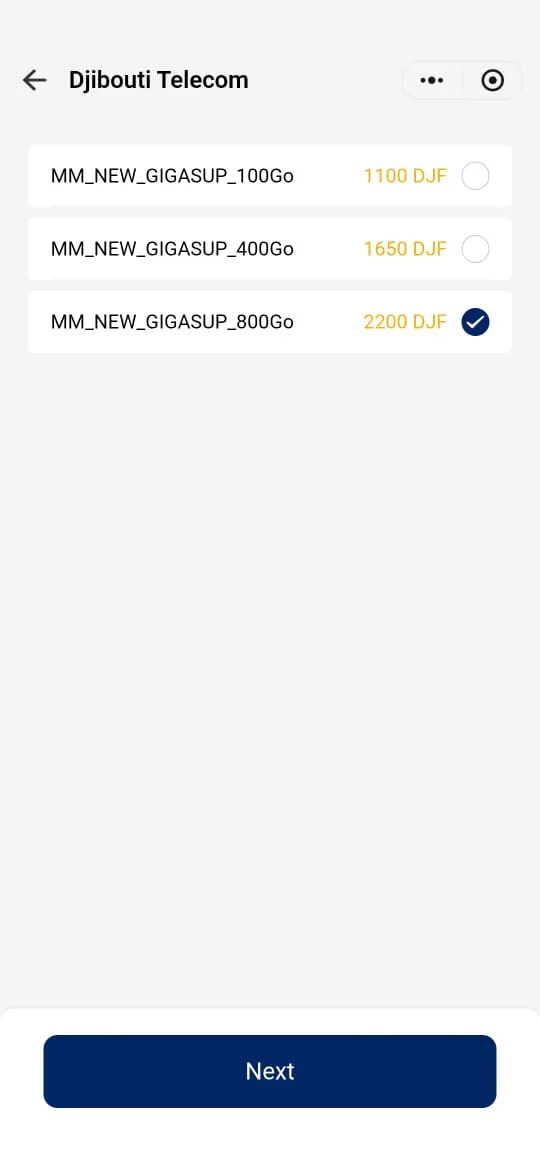
7Step 7
Check the summary
Check the line number, the description and the price, then tap “Pay”.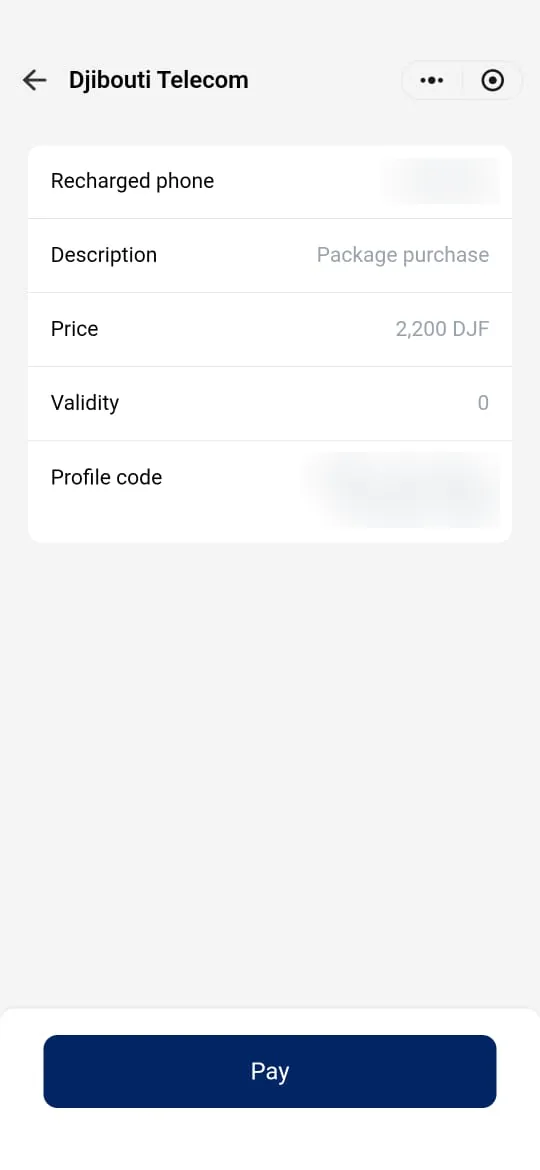
8Step 8
Confirm the payment
Check the amount, the fee and the debited account (“Main Account”), then tap “Pay”.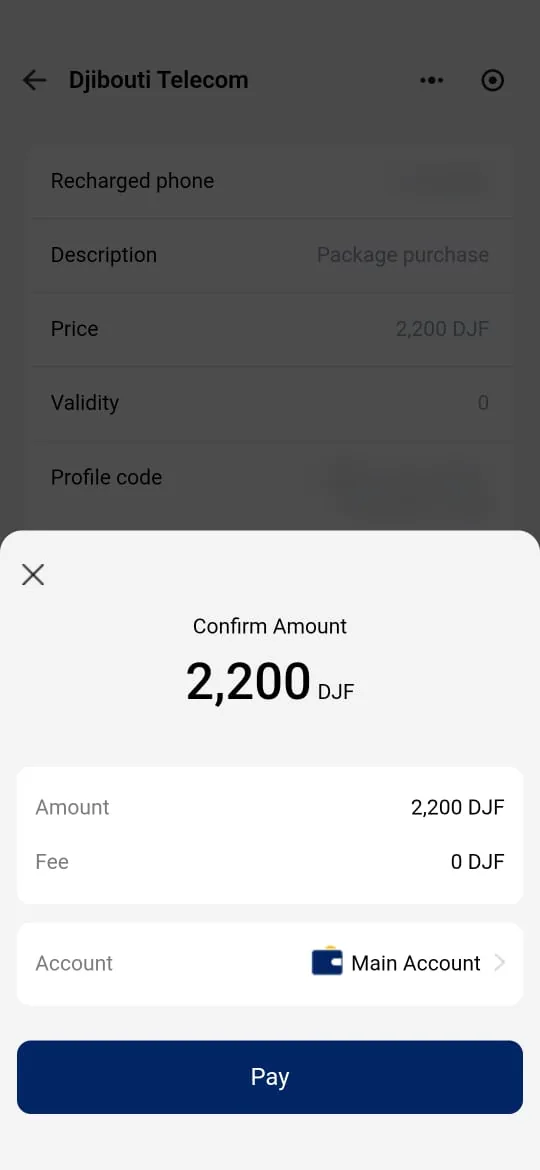
9Step 9
Approve and keep the confirmation
Content to be providedScreen shown after “Pay”: PIN if any, confirmation message or receipt.Content to be providedScreenshot of the approval screen and receipt.
Need help?
Our customer service can help you at every step.