
Guide
Pay your ONEAD water bill
Find your unpaid water bills and pay them from the D-Money app.
Before you start
Have one of these at hand: your ONEAD customer ID, an invoice number, the phone number linked to your meter or your water meter number. Also make sure your D-Money balance covers the bill amount.
Steps
1Step 1
Open “Bills”
On the app home screen, tap “Bills”.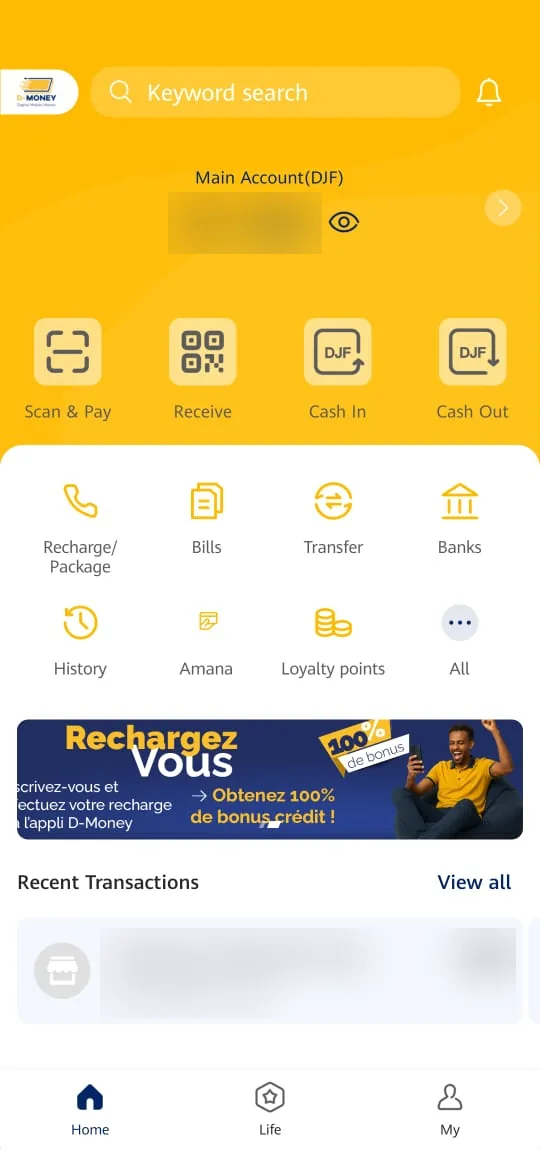
2Step 2
Tap “ONEAD”
In the list of billers, tap “ONEAD”.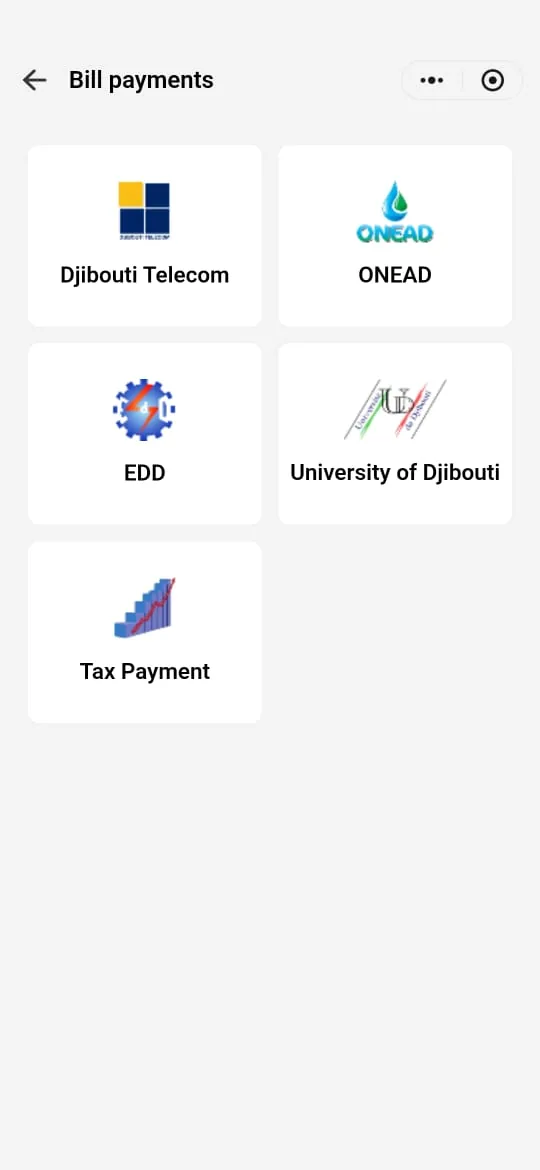
3Step 3
Choose a search criterion
Several criteria let you find your bills. Tap “Select search criteria” and choose the one you have at hand: “Customer ID”, “Invoice number”, “Phone number” or “Water count ID” (water meter number). Then tap “confirm”.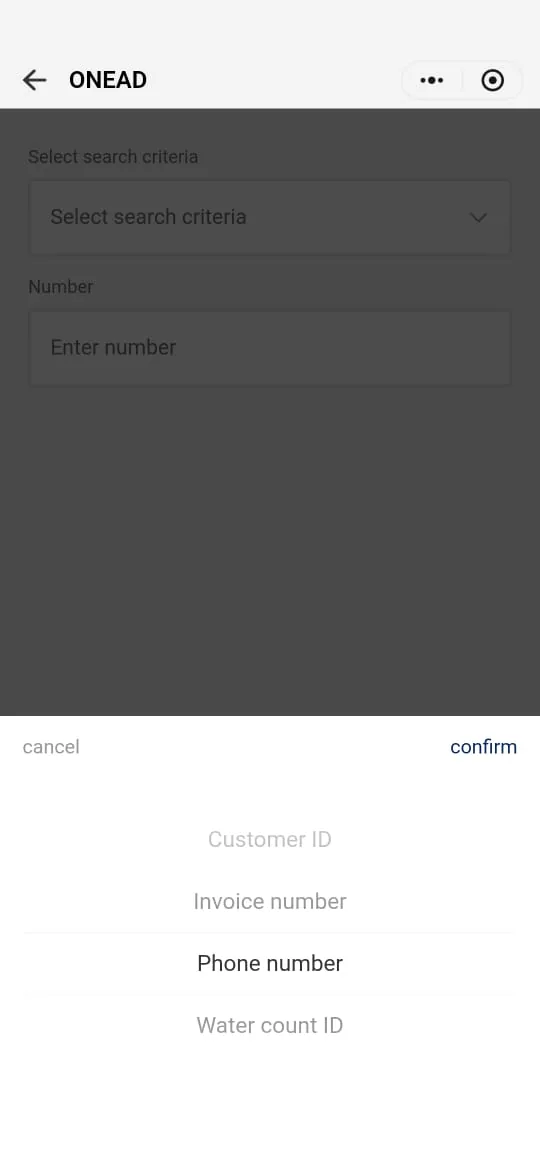
4Step 4
Enter the number
In “Number”, enter the number matching the chosen criterion (here, a phone number), then tap “Next”.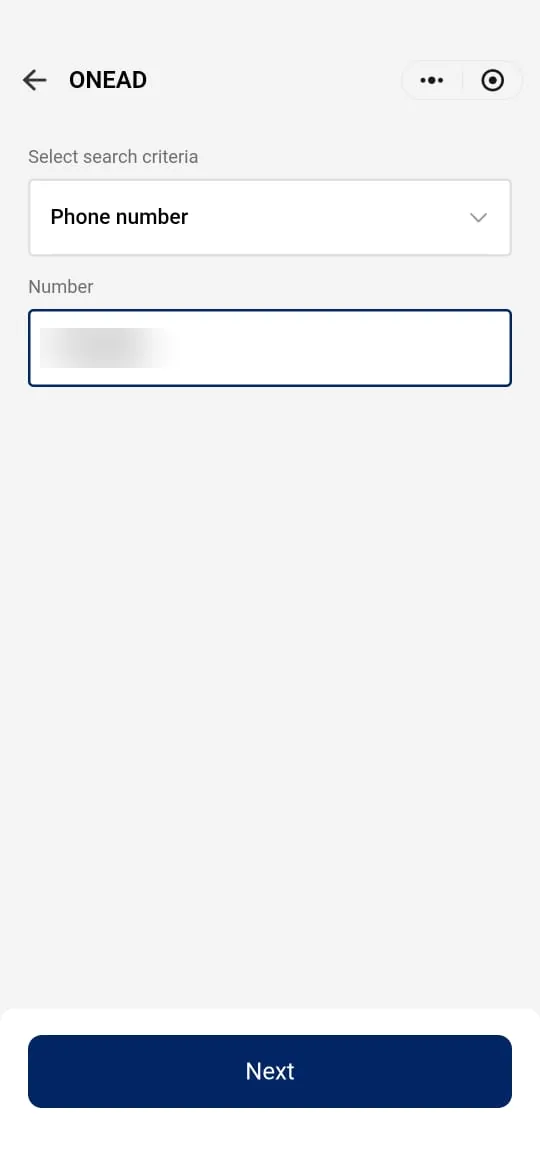
5Step 5
Choose the bill to pay
ONEAD returns the list of your unpaid bills, with their amount and date. Select the one to pay, then tap “Next”.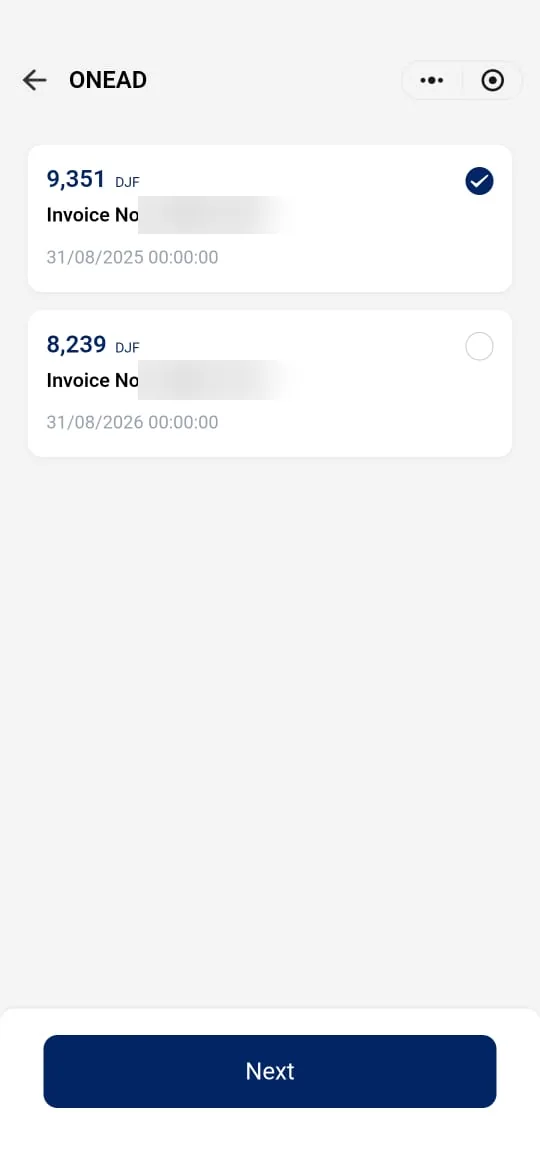
6Step 6
Check the bill details
Check the invoice number, the account holder’s name, the contract and meter numbers and the amount, then tap “Pay”.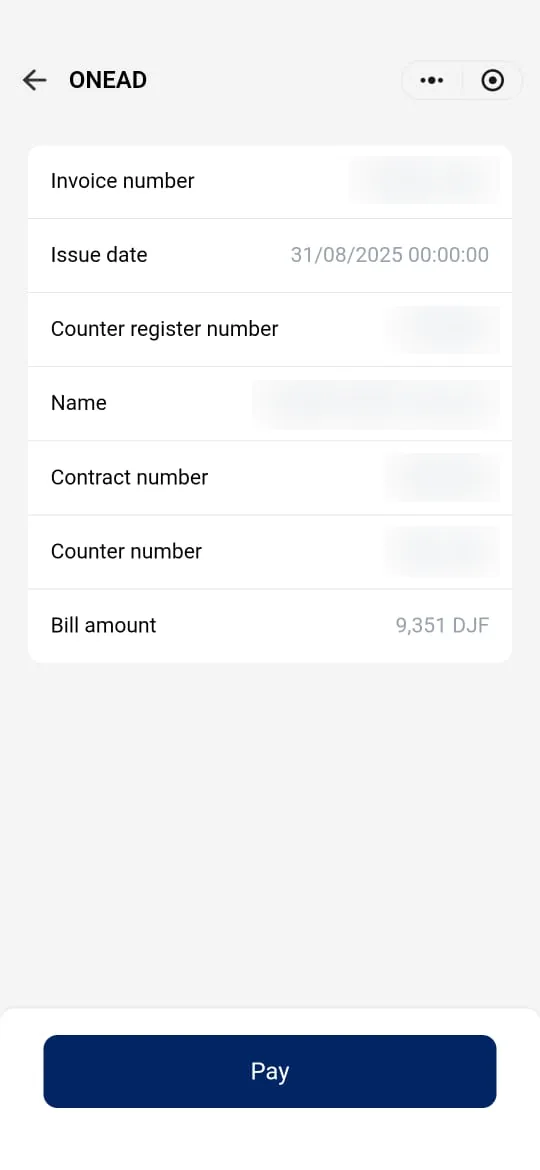
7Step 7
Confirm the payment
Check the amount, the fee and the debited account (“Main Account”), then tap “Pay”.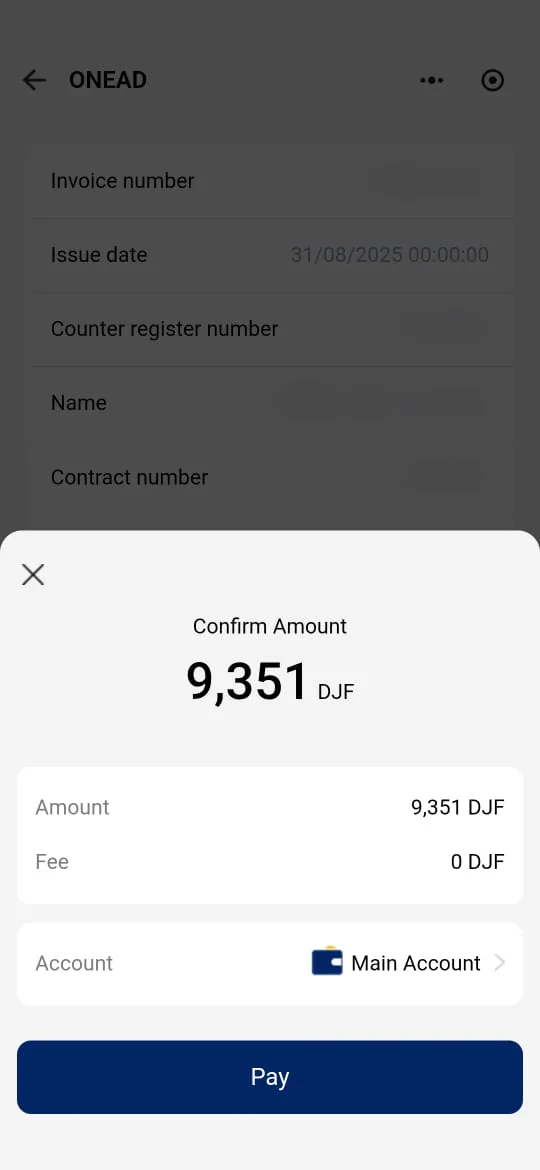
8Step 8
Approve and keep the confirmation
Content to be providedScreen shown after “Pay”: PIN if any, confirmation message or receipt.Content to be providedScreenshot of the approval screen and receipt.
Need help?
Our customer service can help you at every step.